napkin++
download

a local-first project dossier · macOS

one place
per project.

napkin++ keeps the api keys, env vars, logins, links, services, notes and snippets that pile up around a project — in one searchable place. press ⌘K, type a few letters, copy the thing. it all stays on your mac.

freemacOS 13+apple silicon & intel

no accountno syncno telemetry

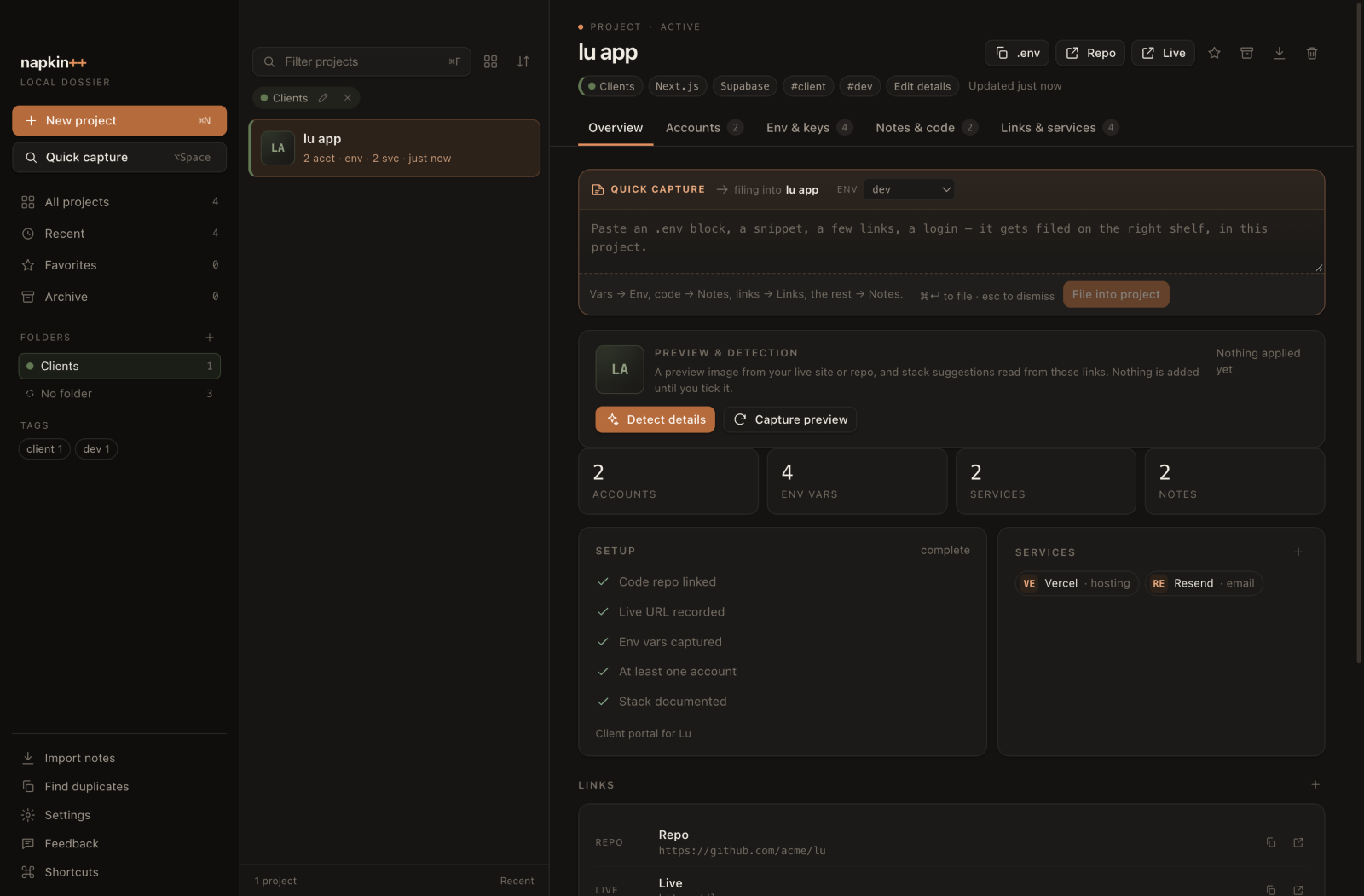
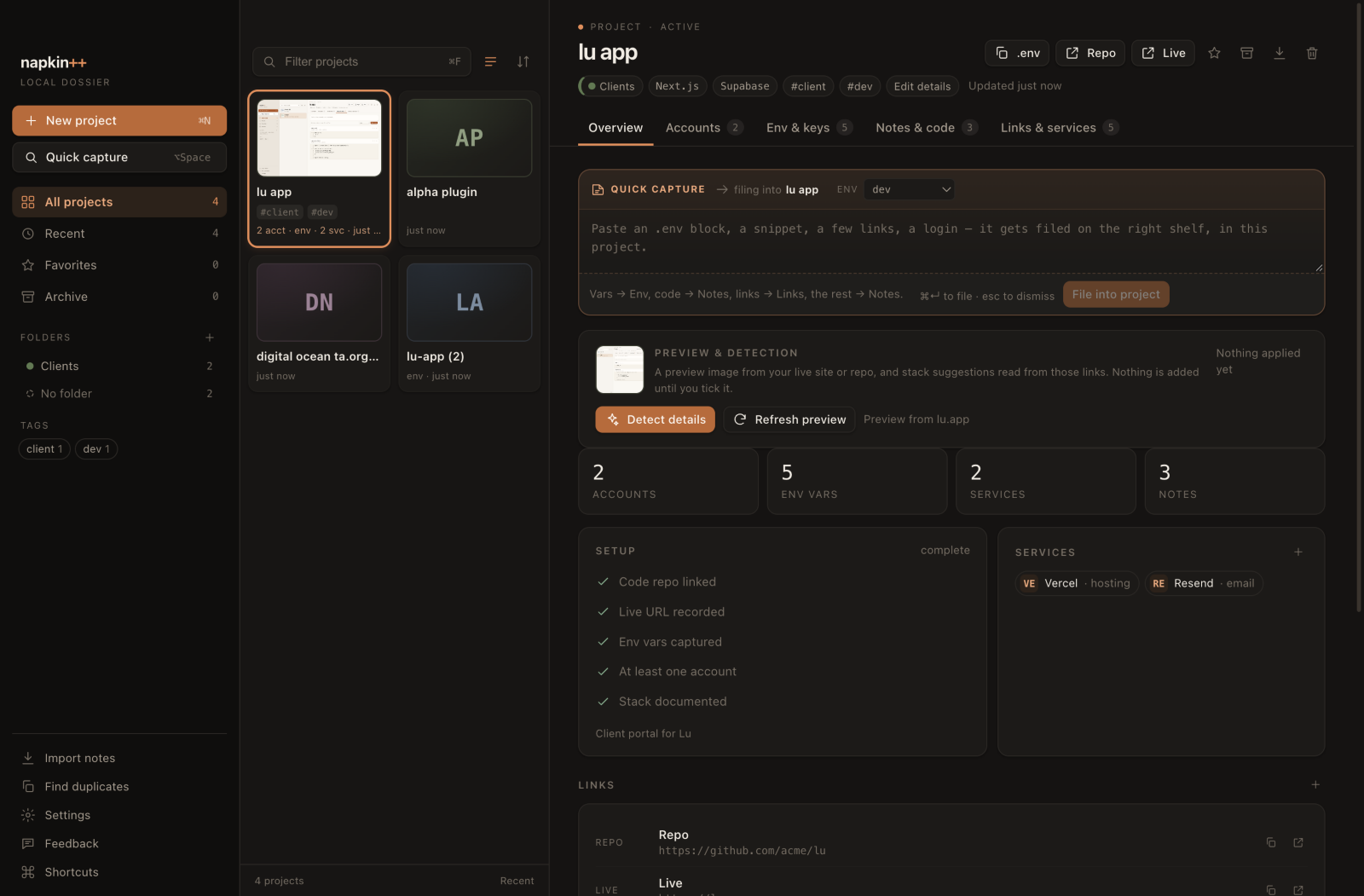
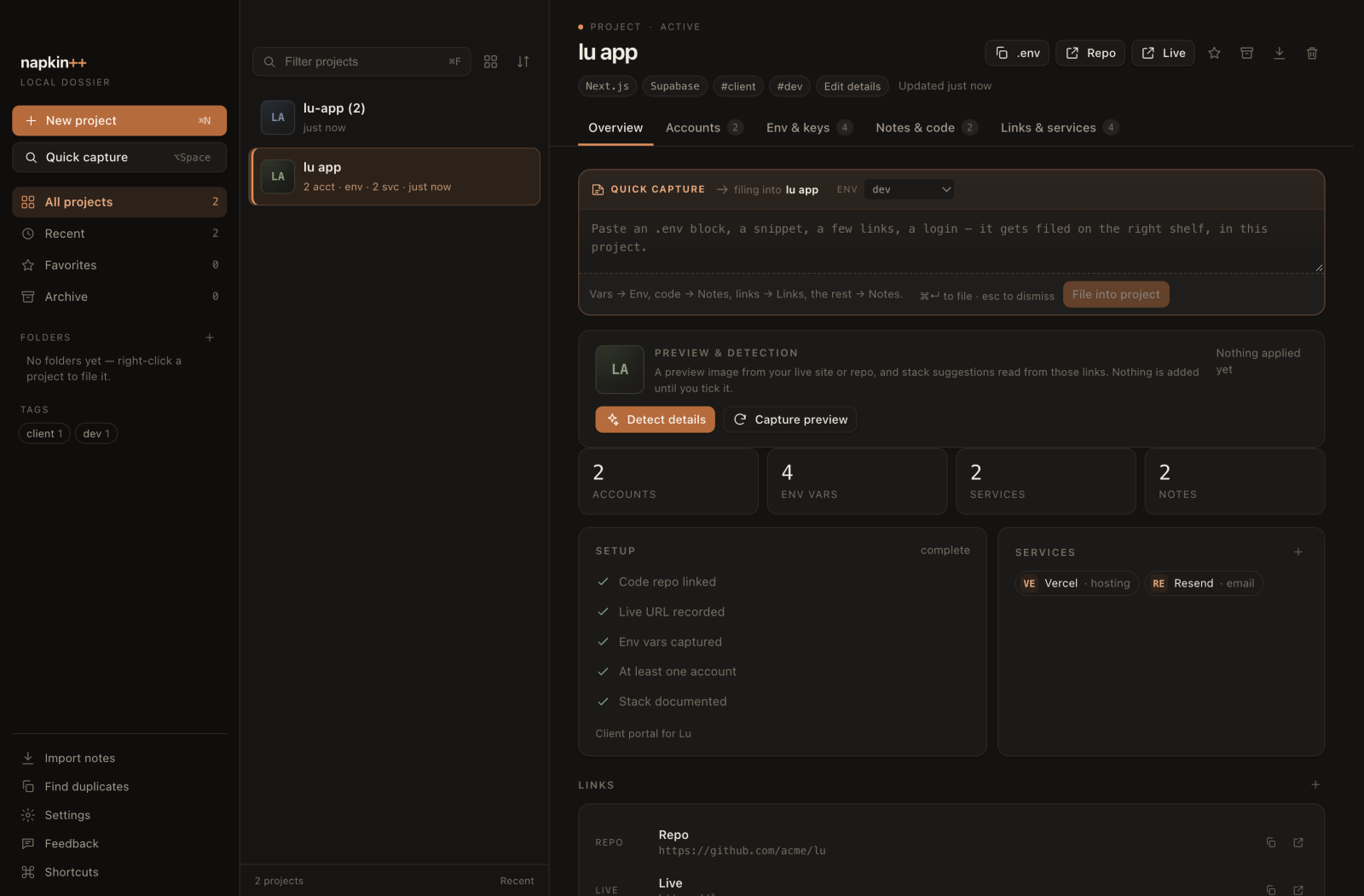
napkin++ — lu app local dossier
The napkin++ window on macOS, showing the lu app project: a sidebar with folders, tags and feedback; a project list; and a dossier with quick capture, preview and detection, counts, setup steps, services and links.
overview · sample project “lu app” · full size ↗ ⌘K opens search from anywhere
  • free download
  • macOS 13+
  • apple silicon + intel
  • plain JSON
  • no account
  • no sync
  • no telemetry

the shape of it

not a password manager with a notes field.

a project is the unit. you think “what does lu app run on?”, not “which vault entry has the resend key?”. so the project is the folder, and the keys, logins, environments, links and notes are its contents.

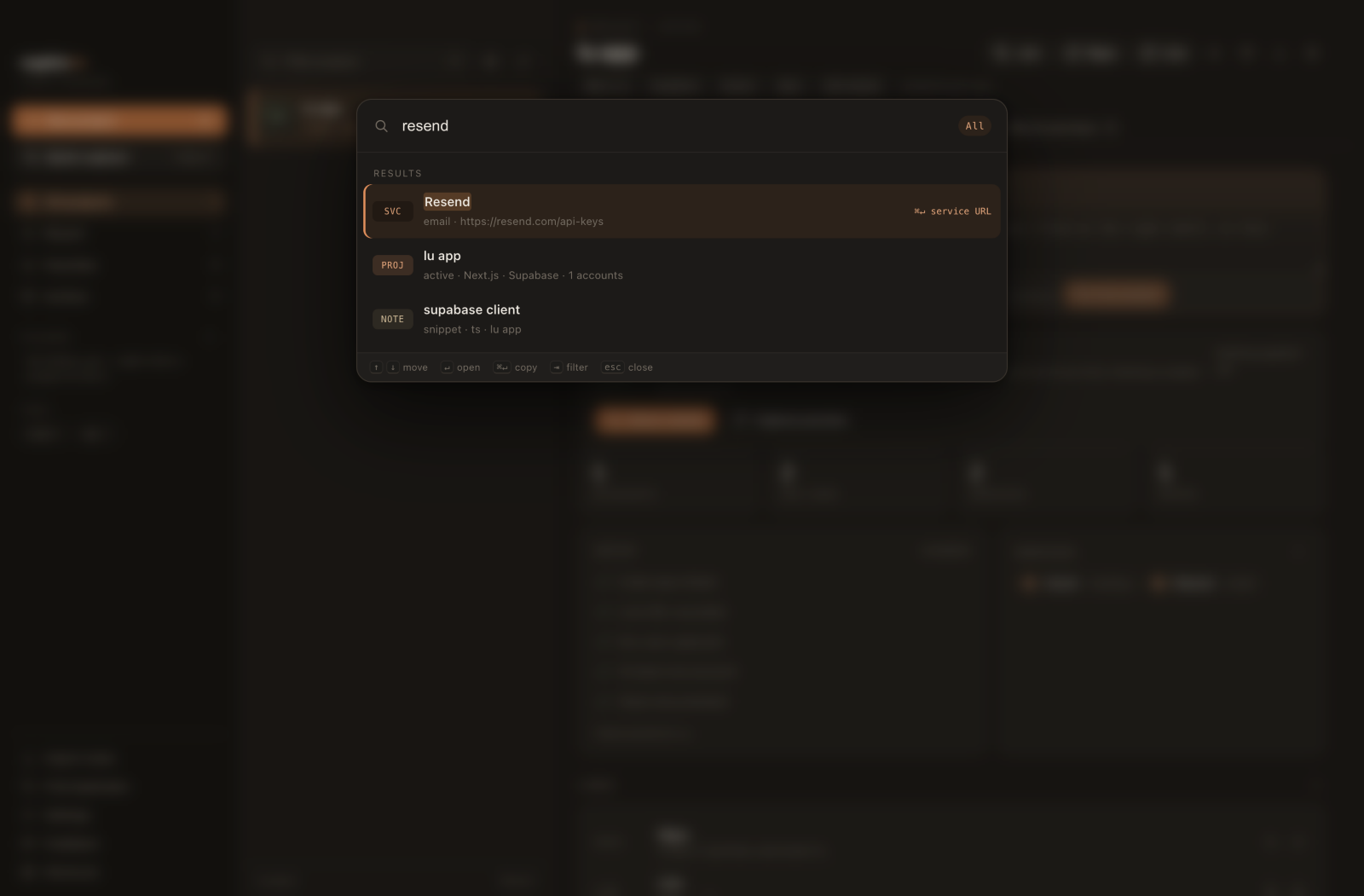
copying is the verb. every value has a one-click copy; the palette puts copy on ⌘↵. search is the navigation — it indexes the values, not just the titles. type resend and you get the service, the project, and the env var.

  1. 01

    a project is the unit

    name, aliases, status, tags, stack. it can start as just a name and fill in as you learn it.

  2. 02

    copying is the primary verb

    password, pin, api token, KEY=value, whole .env, url. one click, then back to the editor.

  3. 03

    search is the navigation

    ⌘K across projects, accounts, fields, env vars, notes, links and services.

try it

the palette, without the install.

a working mock of the command palette and project grid, with eight sample projects. type a name, a service, or a key. arrow keys move, enter opens, escape goes back. ⌘K jumps to the search box. nothing here is a real secret.

napkin++ demo vault · sample data ⌘K focus
    ↑↓ move ↵ open esc back demo only · no real secrets

    Type to filter eight sample projects. Use the up and down arrow keys to move through results, enter to open a dossier, and escape to go back. Command K returns to the search box.

    sample data in a working mock. the real app writes to vault.json on your mac. download to use your own ↓

    01 / accounts

    test users are not a dropdown.

    a project usually has more than one login: test-1, test-2, a client's staging account, the admin you made at 2am. napkin++ shows them all at once, each with typed fields — password, pin, api token, recovery code — instead of one fixed password column.

    • masked by default. reveal one field, copy it in a click.
    • searchable from the palette, values included.
    • redacted in markdown export by default.
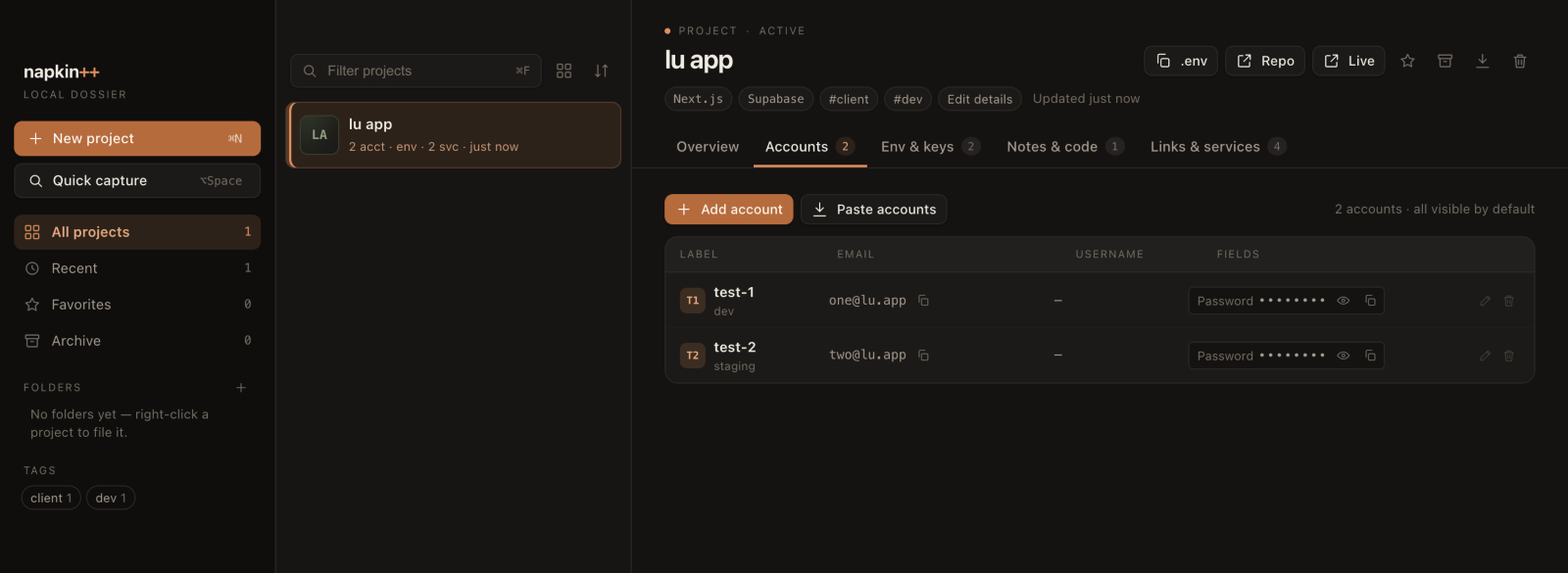
    accounts · lu app 2 accounts
    The accounts tab in napkin++, showing two test accounts with email, a masked password field, reveal and copy buttons.
    actual app window · sample project · full size ↗

    02 / env & keys

    paste a .env. get a table.

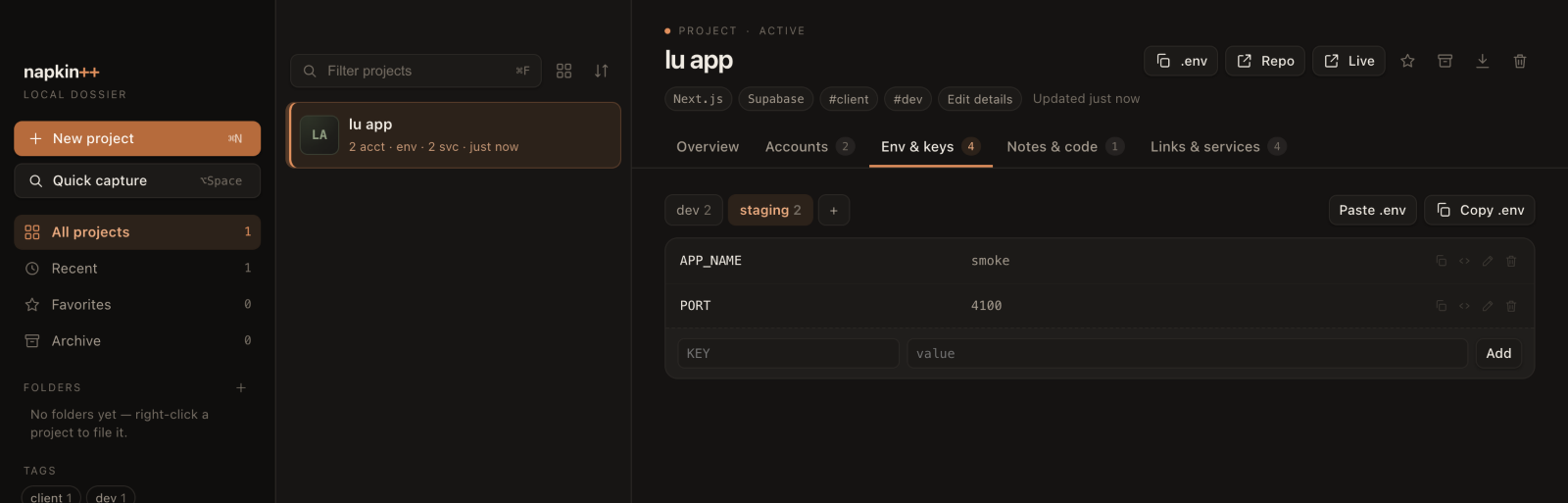
    drop in a block and it becomes key/value rows, per environment — dev, staging, production, or your own. copy one value, one KEY=value line, or the whole file. the tick stays for the session, so you can see what you already grabbed.

    • paste a .env block; napkin++ splits it into keys.
    • right-click a row to edit in place. ↵ saves, esc puts it back.
    • one click copies the whole .env for that environment.
    env & keys · lu app dev / staging
    The env & keys tab in napkin++, with environments, key/value rows, and paste .env and copy .env actions.
    actual app window · sample project · full size ↗

    04 / quick capture

    option+space, from anywhere.

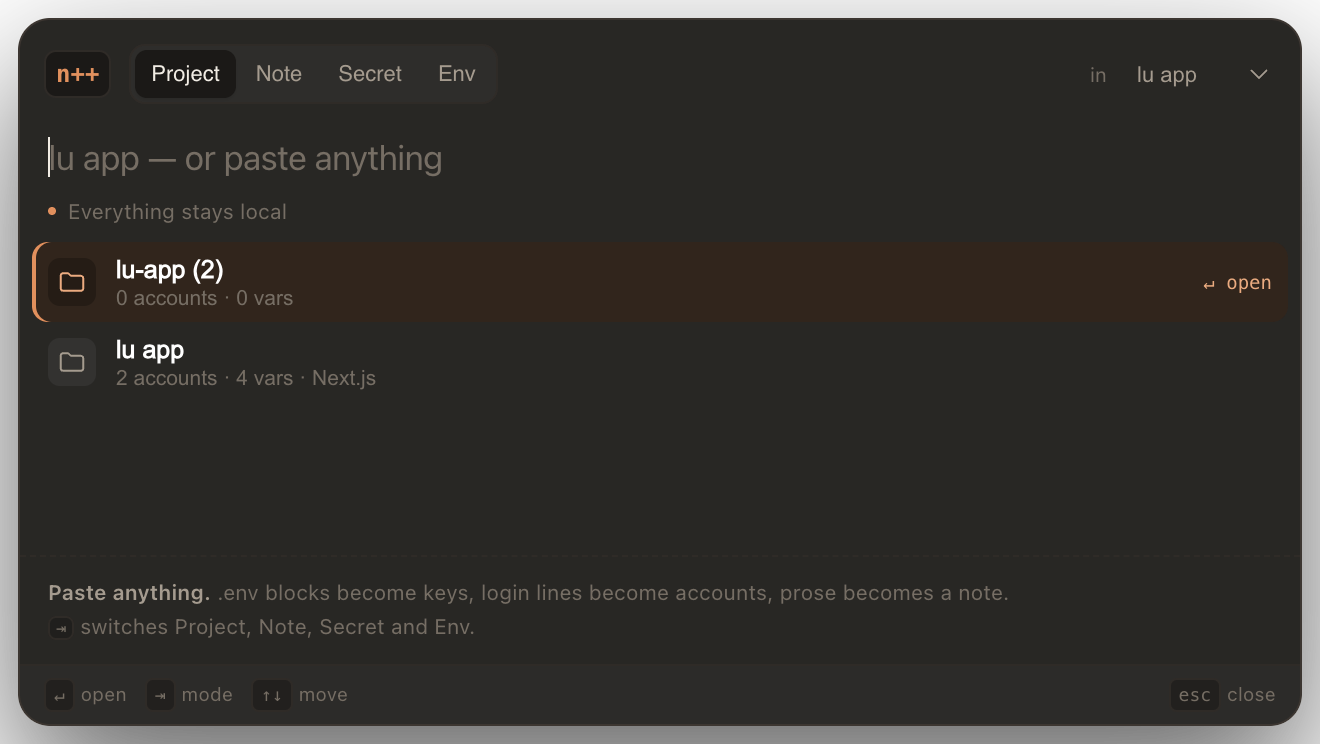
    a spotlight-style panel that opens over whatever you're doing. type lu app and press enter to create it, or paste a .env block and press enter to file the variables into the last project. tab cycles project, note, secret and env. a near-duplicate opens the existing project first.

    • global ⌥Space; falls back to ⌥⇧Space or ⌃⌥Space if taken.
    • one omnibox, four modes, a target project.
    • it prefers opening a near-match over making a duplicate.
    The napkin++ quick capture panel: an omnibox, mode tabs for project, note, secret and env, and matching projects below.
    quick capture · project mode · sample project · full size ↗

    05 / folders

    a colour, not another badge.

    group projects into folders; the colour is a quiet left border in the project list. drag a project onto a folder, right-click → move to folder, or set it in project details. one level deep, one folder per project — enough to separate clients from experiments.

    • click a folder to filter the list.
    • drop onto “no folder” to take it back out.
    • right-click works on projects, accounts, variables and folders.
    folders · clients 1 project
    The napkin++ sidebar with a folder selected, filtering the project list; the folder colour carries into the list.
    actual app window · sample project · full size ↗

    new in 1.0

    the dossier now fills itself in.

    three additions that cut the boring part of starting a project. detection reads the url or repo you hand it; every suggestion is yours to tick, edit or ignore.

    auto thumbnails.

    add a live url or repo and napkin++ captures the site's social preview image. switch the project list to a thumbnail grid and you can find a project by its face, not just its name.

    projects · grid 4 projects
    The napkin++ project list switched to a thumbnail grid: lu app with a captured site preview, plus alpha plugin, digital ocean tagging and lu-app (2) cards.
    actual app window · sample project · full size ↗

    auto-detect the stack.

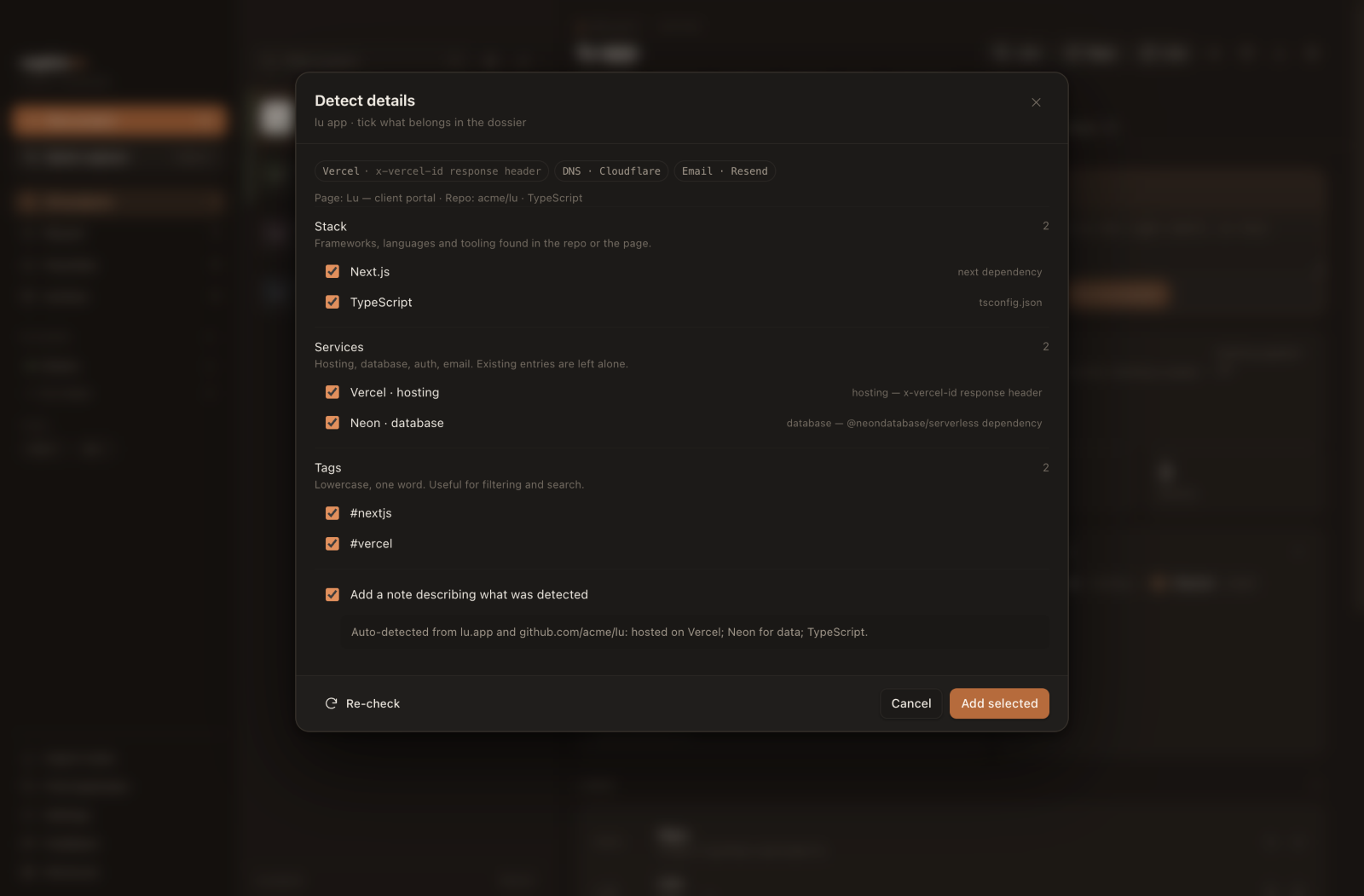
    from a live url and/or a github repo, napkin++ recognises hosting (vercel, netlify, cloudflare), database (neon, supabase), auth, email, dns/registrar, and languages or frameworks. they arrive as suggestions you tick and edit — never silently overwritten.

    detect details · lu app suggestions
    The napkin++ Detect details sheet: Next.js and TypeScript under Stack, Vercel and Neon under Services, #nextjs and #vercel tags, a note describing what was detected, and Cancel and Add selected buttons.
    actual app window · sample project · full size ↗

    feedback and updates, in the app.

    send a bug report or a note without leaving the window. update checks are built in too — no forum account, no support portal, no separate app for saying “this bit is wrong”.

    the person who reads the feedback is the person who wrote the app.

    1.0.0 · feedback, bug reports, update checks

    keyboard

    the keyboard does the walking.

    no modes to remember. the palette is the important one; the rest are here for the days you'd rather not lift your hands.

    the global shortcut is ⌥Space. if macOS or another app has taken it, napkin++ falls back to ⌥⇧Space or ⌃⌥Space.

    napkin++ keyboard shortcuts
    ⌘Ksearch everything
    ⌥Spacequick capture, from anywhere
    ⌘⇧Nquick capture from the app
    ⌘Nnew project
    ⌘Ffilter the project list
    ⌘1–⌘5overview / accounts / env / notes / links
    ⌘↵file the project capture box
    ⌘↵copy the selected palette result (in the palette)
    ⌘Zundo the last vault change
    ⌘,settings
    ⌘/the shortcut sheet
    esccancel an edit / dismiss the capture box

    light and dark

    paper, graphite, four accents.

    the app follows macOS by default. override it in settings — or right here, because this page uses the same tokens. one accent is applied everywhere: buttons, selections, the little dot beside a section label.

    theme
    accent

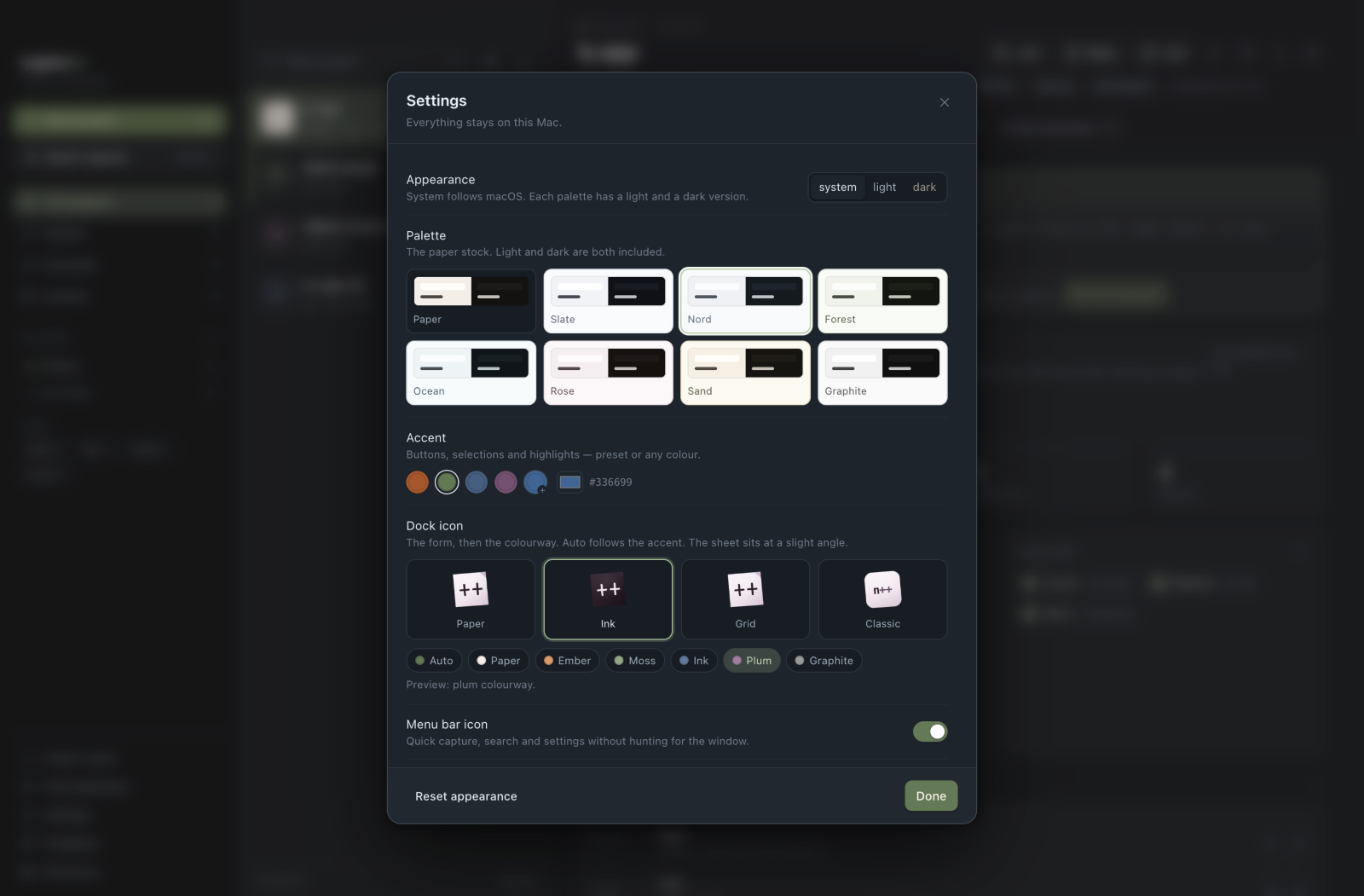
    the header toggle cycles system → light → dark. the app adds eight paper stocks and any hex accent in settings; this page keeps to the four presets.

    settings · appearance moss accent
    The napkin++ settings sheet, showing theme controls, paper palettes, accent swatches, dock icon forms and the menu bar icon toggle.
    actual app window · appearance settings · full size ↗

    where it lives

    a file you can read.

    the whole vault is one plain JSON document, with a daily backup and the previous save beside it. no database, no account, no sync. grep it, back it up, move it.

    it is not encrypted at rest in 1.0. it protects against the one-giant-text-file problem, not against someone at your unlocked mac. turn on FileVault. more on privacy.

    the vault
    ~/Library/Application Support/napkin++/
      vault.json              # the whole vault
      backups/
        vault-YYYY-MM-DD.json # one per day
        vault-prev.json       # the previous save

    1.0.0 · free

    keep the next one on a napkin.

    API keys, env vars, logins, links and the note you'll otherwise lose. one place per project, and it stays on this mac.

    pick the universal .zip for apple silicon or intel. unzip it, drag napkin++.app to Applications, and open it.